 R7 Orbit



Talking to the house was the point of R7 Home from the start. Say “Hey R7” from across the room and it lights up, listens, does what you asked and answers out loud. The voice was working within the project’s first week, at the end of August 2026, and it has been tuned ever since.
The wake word
A wake word is the phrase a device waits for before it pays attention. R7’s is “Hey R7”, and it’s recognized by a small model trained on that phrase, running on the Raspberry Pi itself. Until it hears those two words, nothing R7’s microphone picks up leaves the house.
The microphone is a reSpeaker, a small board with four microphones and a ring of lights. The ring glows R7’s gold when it hears the wake word and while it’s listening, and stays dark the rest of the time, so you can tell at a glance whether R7 is hearing you. Replies come out of the screen’s own speakers.
From your words to an answer
After “Hey R7”, a request goes through three steps:
- Hearing. OpenAI turns your speech into text.
- Deciding. R7 works out what you want. Simple requests it handles on its own: lights, brightness, scenes, which rooms are occupied, a room’s temperature or humidity, the weather and music. Anything else goes to an OpenAI GPT model, which can use R7’s tools for reminders, saved places, song requests, Thoughts and Hunter’s PC.
- Speaking. ElevenLabs, a service that turns text into natural-sounding speech, reads the answer aloud in R7’s voice.
Requests R7 handles on its own skip the GPT model, so “set the living room to Relax” comes back faster and costs less.
One voice for R7.
R7’s voice is called R7 Home 2, made with ElevenLabs. It’s the same voice that narrates R7’s platformer, so R7 sounds like itself everywhere.
The voice screen
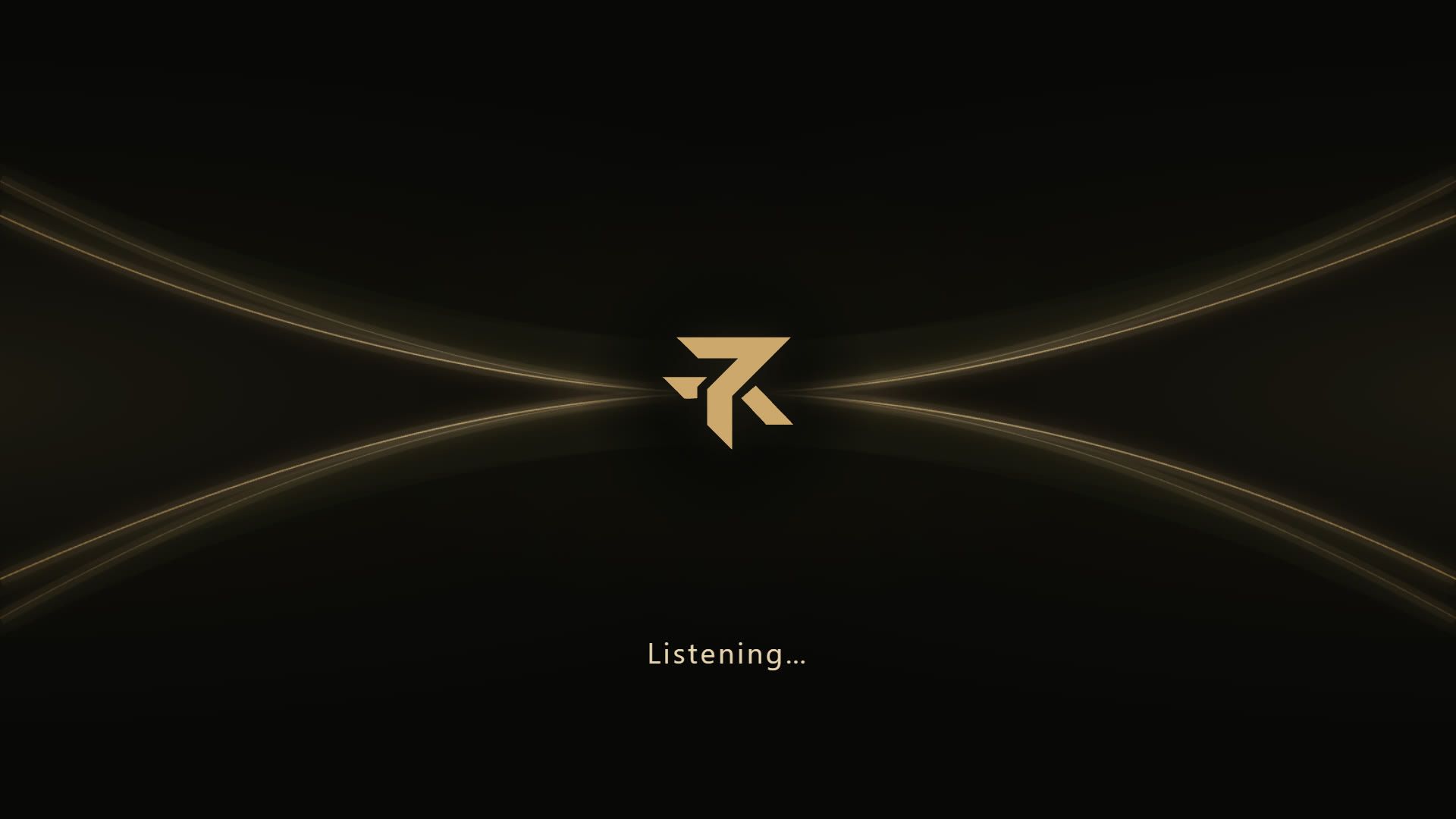
When R7 hears its name, the screen switches to a full-screen view with the R7 logo and two gold lines. The status underneath says Listening, Thinking or Speaking, and a glow around the edge breathes slowly while it listens, dims while it thinks and pulses faster while it talks.

Knowing when to stop
A voice assistant in a shared room has to be easy to shut up. Saying “Hey R7, stop” while it’s talking cuts the answer off, and R7 stays quiet. R7 also keeps listening for that while it speaks, so you don’t have to wait it out.
At night, R7 is gentler. During standby hours the screen is off, but a voice request, an alarm or a timer still wakes it. The screen comes on very dim and R7 speaks quietly, while alarms and timers keep their normal volume, since they’re supposed to wake you.
A personality you can tune
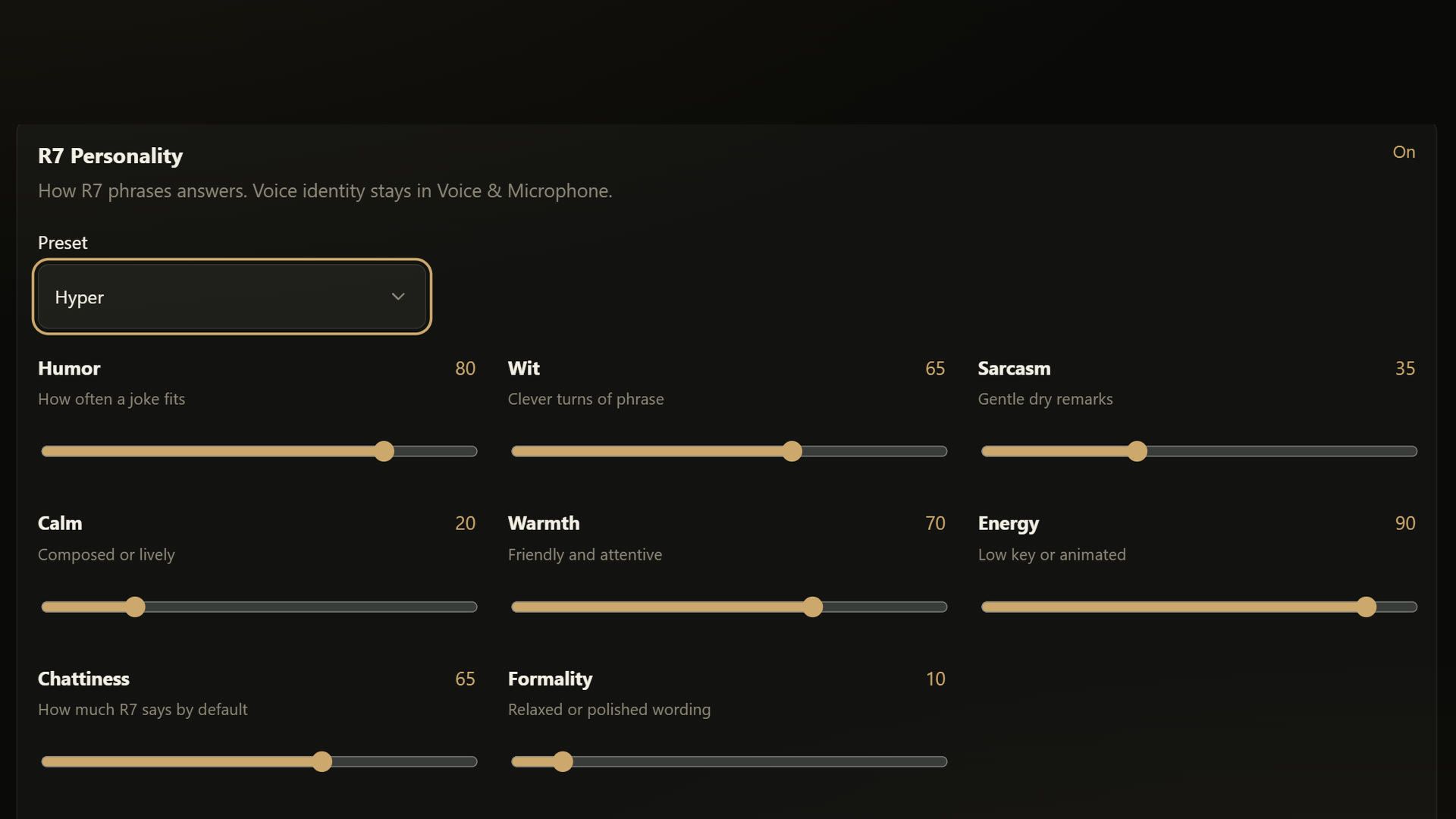
R7’s personality lives in Settings as eight sliders: humor, wit, sarcasm, calm, warmth, energy, chattiness and formality. There are presets too, from R7 Default to Deadpan, Cozy, Professional, Hyper and Robot. A separate setting changes how expressive the delivery sounds without changing what R7 says.
Rules the voice follows
A few rules keep the voice trustworthy:
- Finish the sentence. R7 shouldn’t cut off its own answers partway through.
- Never repeat an action. If the speech fails after R7 has turned on a light or set a reminder, the action still counts, and R7 won’t do it twice or undo it.
- Say why, instead of going silent. When R7 can’t answer, for example because the service that turns speech into text has run out of credits, it should say so in a short line. A fix for that was written on Oct 31, after exactly that left a request with no answer at all, and it isn’t installed on the Pi yet.
Still being worked on
One problem is still open. After the Pi restarts, the microphone board sometimes runs its clock too fast, and R7 stops hearing its wake word until someone unplugs the board and plugs it back in. It has happened twice, on Sep 26 and Oct 22, and the fix isn’t confirmed yet.
R7 also has an experimental way to talk, built on Aug 24, 2026, where the AI listens and speaks directly instead of going through the three steps. It stays switched off in the house for now. The three-step path is the one R7 Home uses every day.